Preventing Back Pain While Teaching Online at Home
An e-learning workday can turn a cozy couch or kitchen table into a full-time workplace before you notice what’s happening. A few hours of leaning toward a laptop, reaching for a mouse, and trying to look cheerful on camera can leave your neck and lower back complaining by dinner.

When it comes to preventing backpain teaching online, small, realistic changes matter more than a pricey home-office makeover. A better setup, regular movement, and attention to warning signs are practical prevention strategies. Together, they can make the school day feel less punishing and reduce back pain. This guidance supports prevention, but it doesn’t replace medical care for pain that persists or feels severe.
Key takeaways for a more comfortable e-learning day
Your back doesn’t need perfection. It needs fewer hours spent frozen in an awkward position.
- Raise your screen so you aren’t spending every e-learning lesson looking down.
- Support your feet and lower back, even if your “office” is one end of the dining table.
- Keep your keyboard, mouse, notes, and water close enough to reach without a twist-and-grab routine.
- Change position often. A two-minute walk still counts.
- Treat sharp, worsening, or unusual pain as a signal to stop and get proper advice.
A 2022 review of office-worker back-pain interventions found that workplace changes may have only small effects on back pain on their own. That makes sense. A supportive chair helps, but muscle tension, movement, sleep, physical activity, stress management, and spinal health matter too. Don’t try to power through pain like it’s an unread email.
Preventing Back Pain Teaching Online Starts With a Better Workstation
The chair, screen, and keyboard work together. If one piece is in the wrong spot, your body makes up for it elsewhere. Usually, your neck, shoulders, or low back get handed the extra work, and back pain can follow.
You don’t need a magazine-ready study. You need a setup that lets you teach comfortably through an e-learning day.
Adjust your screen, chair, and keyboard for neutral posture
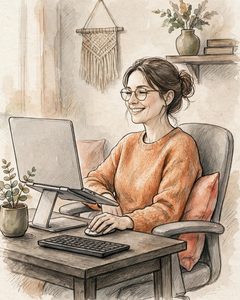
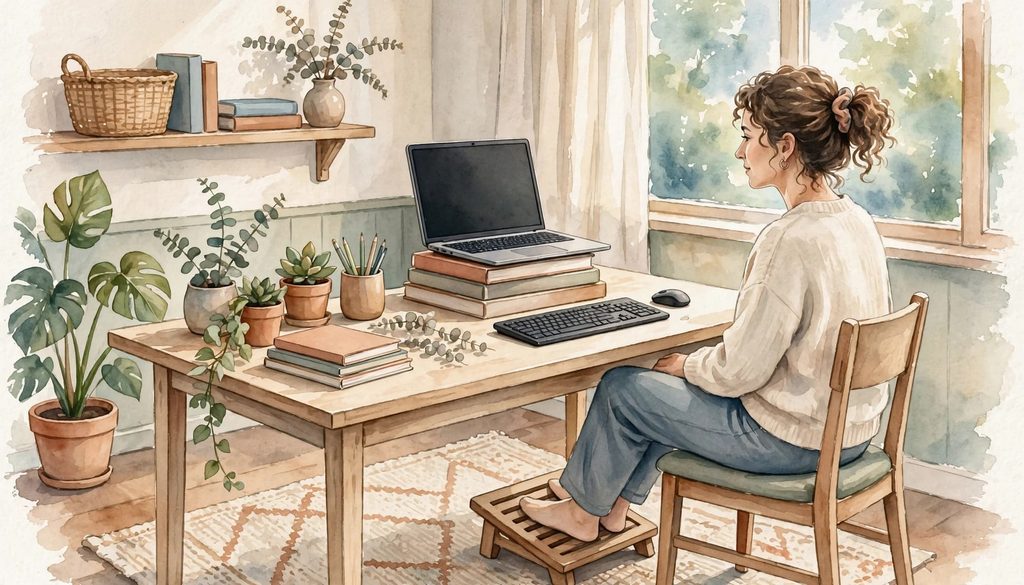
Sit back in your chair with your lower back supported. Keep your spine in a comfortable spinal alignment, with the top of your screen near eye level. Your shoulders should feel relaxed, and your elbows should stay close to your body. This supports proper posture without demanding a rigid position. Keep your wrists straight rather than bent upward toward the keyboard.
A laptop on a table often creates an awkward bargain: look at the screen comfortably, or type comfortably. You rarely get both. For longer e-learning sessions, raise the laptop on sturdy books or a stand, then use an external keyboard and mouse. Basic monitor and workstation positioning guidance also recommends keeping the screen directly in front of you at eye level.
Your feet should rest flat on the floor. If they dangle, use a footrest, a firm box, or a thick book. A rolled towel at the small of your back can add useful support if lower back pain is a concern.
Choose a teaching setup that fits your real space
A dedicated desk is nice, but plenty of teachers share rooms, tables, and internet bandwidth with the rest of the household. You don’t need expensive ergonomic office furniture to create a workable e-learning space. Start with ergonomic adjustments before buying new equipment.
Work with what you have. A kitchen chair can become more comfortable with a cushion or towel, while a folding table can work with the right desk setup. Adjust the screen and keyboard before deciding you need something new.
Couches and beds are tempting, especially on a cold morning. They also let your hips sink, your spine curve, and your neck drift toward the screen. Save them for short tasks, not a run of live classes.
A standing desk can offer a welcome change, but it isn’t a magic fix either. Don’t stand rigidly for hours. Wear supportive footwear, shift your weight, and take a few steps before returning to sitting. The goal is variety, not perfect posture or fear of poor posture.
Use Movement Breaks to Prevent Back Pain During Online Lessons
Trying to hold one “perfect” position all day can become its own problem, especially when back pain is already part of the picture. Bodies like movement. Your students probably do too, even if they express it by disappearing from the camera to find a snack.
Short breaks fit into an e-learning day more easily than a heroic workout at 4 p.m. Stand while students complete independent work. Walk to refill your water between classes. A little physical activity during transitions can interrupt long periods of sitting.
Johns Hopkins recommends keeping moving while working from home to address neck and back pain, along with giving attention to the whole workspace rather than the chair alone.
Build easy stretching exercises into your teaching schedule
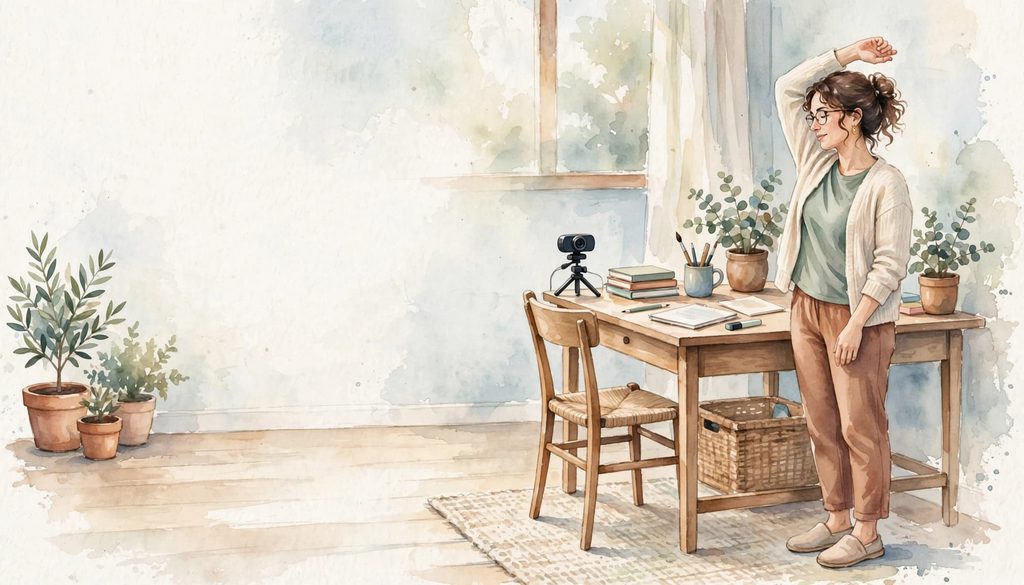
Choose stretching exercises that feel gentle and ordinary. A few shoulder rolls can ease muscle tension and loosen the feeling that your shoulders have taken up permanent residence near your ears. Stand tall and place your hands lightly on your hips for a small backward lean. Open your chest by drawing your shoulder blades back, then release.
A brief hip-flexor stretch can help interrupt the stiffness that follows prolonged sitting, when lower back pain may become more noticeable. Step one foot behind you, keep your torso upright, and shift forward slightly. Five minutes of walking around the house is useful too. It doesn’t need to look like a fitness commercial.
Move slowly and stay within a comfortable range. These stretching exercises shouldn’t cause sharp pain, pain that shoots down an arm or leg, or symptoms that worsen afterward. Stop if any of those symptoms appear.
Use the 20-20-20 rule and regular posture resets
The 20-20-20 rule is simple: every 20 minutes, look about 20 feet away for 20 seconds. It’s usually discussed for tired eyes, but it creates a handy pause for your neck and back too.
While you look away, let your shoulders drop. Unclench your jaw. Shift your hips in the chair or stand up for a moment. These tiny resets are far more realistic than remembering a complicated routine during an e-learning transition. Regular position changes may also support general spinal health.
Set a quiet phone reminder, if that helps. Better yet, attach the habit to something already in your e-learning routine: lesson transitions, independent reading, attendance, or the moment the video platform decides to think about its life choices.
The best movement break is the one that happens before your back is begging for it.
How Online Teachers Can Reduce Strain Throughout the School Day
Back comfort isn’t only about the chair. It also lives in the little habits around e-learning, such as where you put your notes and how often you turn toward a second screen.
A practical guide to preventing back pain in daily life points to workstation ergonomics and regular activity as useful parts of the bigger picture. Your e-learning routine deserves the same attention as your lesson plan.
Keep teaching tools within easy reach
Put your webcam, microphone, printed notes, water bottle, and frequently used materials within easy reach. Constantly twisting for a workbook or stretching for a cable can create muscle tension over a long week.
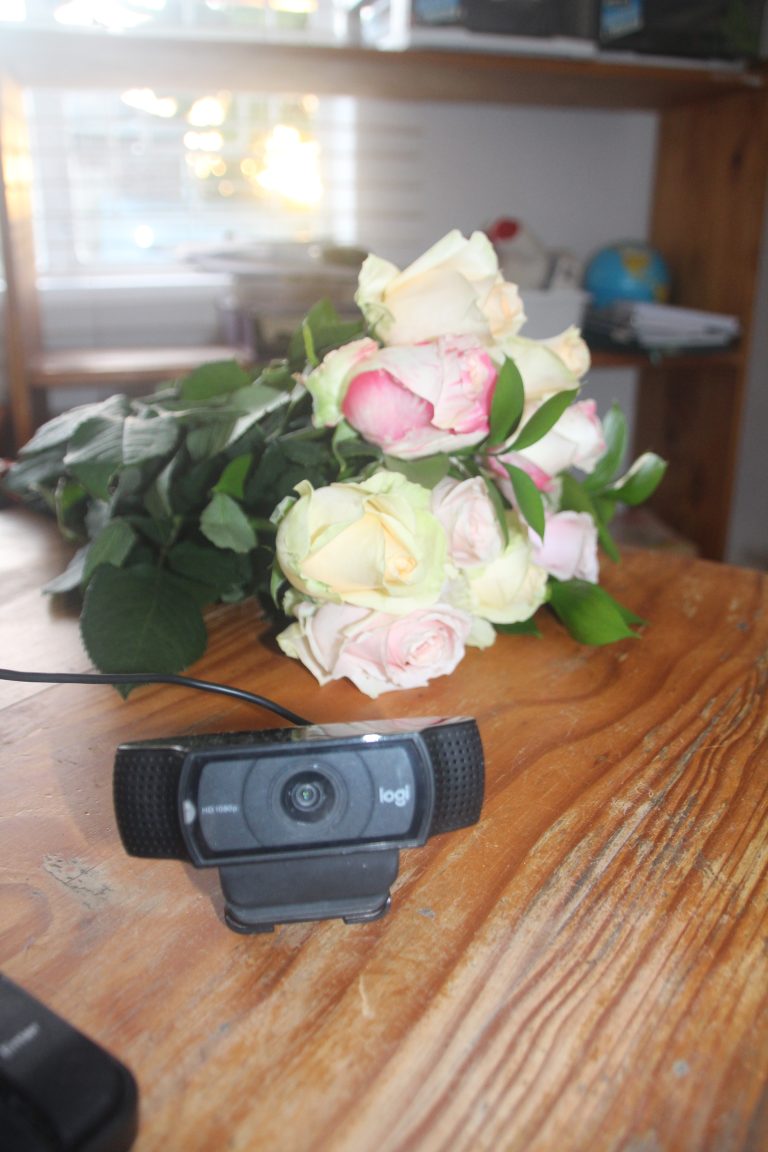
Place the camera near the top of your screen so you can face forward during e-learning sessions. If you use a second monitor, keep it close to the main screen instead of far off to one side. A separate webcam can help when your laptop is raised, because you won’t need to crane your neck toward an oddly placed camera.
Plan e-learning materials before class starts. Open the tabs you need, queue up slides, and keep downloads in one folder. Fewer frantic reaches support stress management and reduce the tendency to brace or rush.
Support your back with gentle strength and daily activity
Daily walking is one of the easiest forms of physical activity for interrupting a sitting-heavy day. Take a short walk before school, at lunch, or after the final class. Supportive footwear can make walking or standing more comfortable.
Gentle strength work for core strength, hips, and upper back can support comfortable movement and spinal health over time. There is no single routine that fits every teacher, body, injury history, or fitness level. Start gradually, use good form, and choose activities you can repeat without dread.
A brief breathing reset or other mindfulness practices can ease muscle tension between e-learning sessions. Massage therapy may also offer short-term relief for some muscle tension, but it doesn’t replace evaluation of persistent symptoms.
If you have an existing back condition, recent injury, osteoporosis, or nerve symptoms, ask a qualified health professional what activity is suitable for you. “No pain, no gain” is a terrible lesson plan for back care.
Know When Online Teaching Back Pain Needs Professional Help
A mild episode of acute back pain after an unusually long day may settle with rest, position changes, and a little walking. Recurring lower back pain, muscle tension that won’t ease, or symptoms that interfere with e-learning duties deserve more attention. Chronic back pain can also require assessment, especially when it repeatedly returns or limits your normal activities.
Make an appointment with a medical professional if symptoms persist, keep returning, limit your usual activity, or worsen despite improving your setup. Seek guidance promptly for acute back pain that doesn’t improve as expected. Workstation advice for back pain can be useful, but no desk adjustment can diagnose the cause.
Depending on the cause, a qualified professional may discuss options such as chiropractic care or massage therapy. Whether chiropractic care is suitable depends on your symptoms, medical history, and the underlying cause. Massage therapy may support symptom management, while stress management can complement other healthy routines. Discuss chiropractic care with a qualified professional rather than choosing treatment based on online advice alone.
Watch for red flags and avoid self-treatment mistakes
Get urgent medical help for new weakness, numbness, loss of bladder or bowel control, fever with spinal symptoms, pain after a serious fall or accident, or worsening pain traveling down a limb. These signs don’t belong in the “I’ll see how it feels tomorrow” pile.
A physical therapist, physician, or another appropriate clinician can help assess persistent or worsening symptoms. Massage therapy shouldn’t replace an assessment, and chiropractic care isn’t appropriate for everyone. Avoid pushing through sharp pain during exercise or stretching. Prolonged bed rest is also rarely helpful for ordinary symptoms, because stiff muscles and less movement can make returning to activity harder. Don’t make major exercise changes based on a social media clip or a friend’s favorite stretch.
A sore back may need a better chair. A back with numbness, weakness, or sudden new symptoms needs medical attention.
Frequently Asked Questions
How can I prevent back pain while teaching online?
Raise your screen, support your lower back and feet, and keep your keyboard and mouse close. Change position often and take short movement breaks between lessons instead of staying frozen in one posture.
Is a couch a good place for teaching online?
A couch may feel comfortable for a short task, but it often lets your hips sink and your neck drift toward the screen. Use a supportive chair and a stable table for longer e-learning sessions whenever possible.
What stretches can help after sitting during online lessons?
Gentle shoulder rolls, a small backward lean, chest-opening movements, and a brief hip-flexor stretch can interrupt stiffness. Move slowly and stop if you feel sharp pain, pain that travels down an arm or leg, or symptoms that worsen afterward.
When should I seek medical help for online teaching back pain?
Make an appointment if pain persists, keeps returning, limits your usual activities, or worsens despite improving your setup. Seek urgent help for new weakness, numbness, loss of bladder or bowel control, fever with spinal symptoms, or pain after a serious accident.
A Better Start for Tomorrow’s Teaching Day
Start with the simple stuff: raise the screen, support your feet and lower back, and put the tools you use most within easy reach. Before an e-learning day begins, set reminders to stand, look away, and move between lessons.
Preventing back pain while teaching online is less about finding the perfect chair and more about giving your body regular chances to change position. Adjust your workstation before the first class, take a brief movement break after each lesson, and build those habits into your e-learning routine. Back pain prevention depends on regular consistency, not a perfect setup.